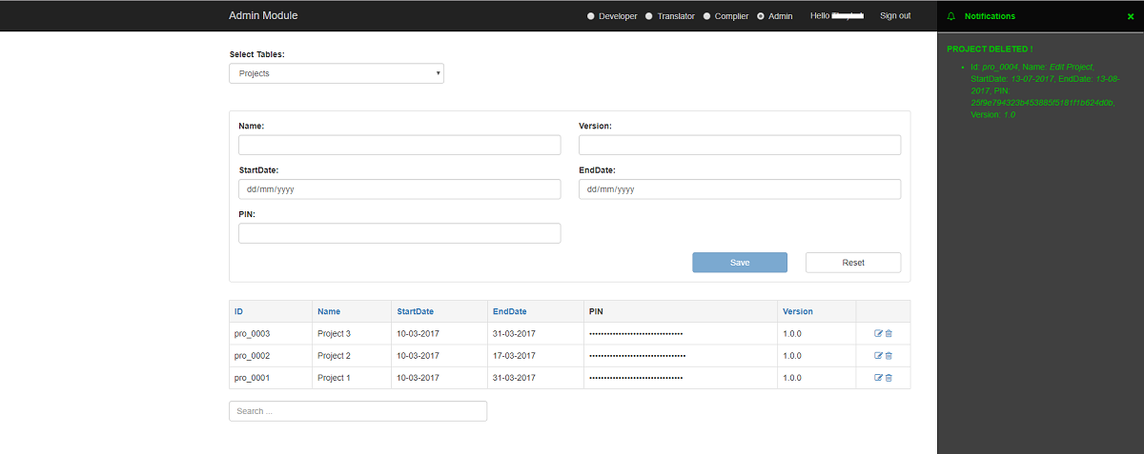
Admin Module
To
add, edit, and delete all rows in
table selected.
1. UI
Employee has role:
admin can access to this module.
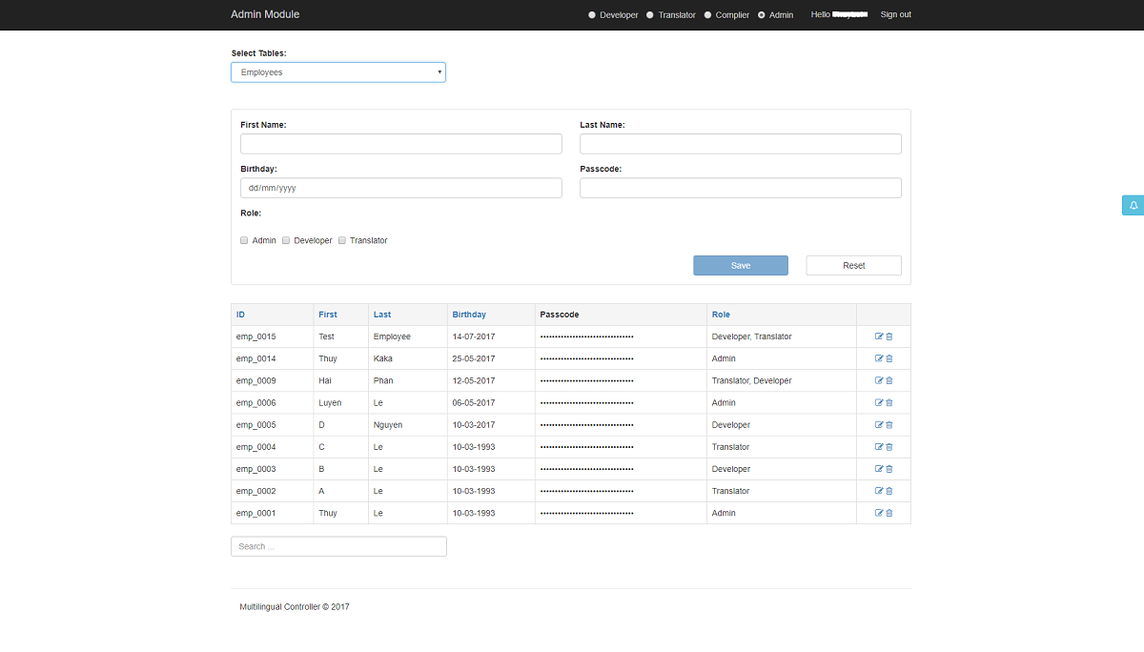
2. Add new row to table
Select
table in the
select box at the top.
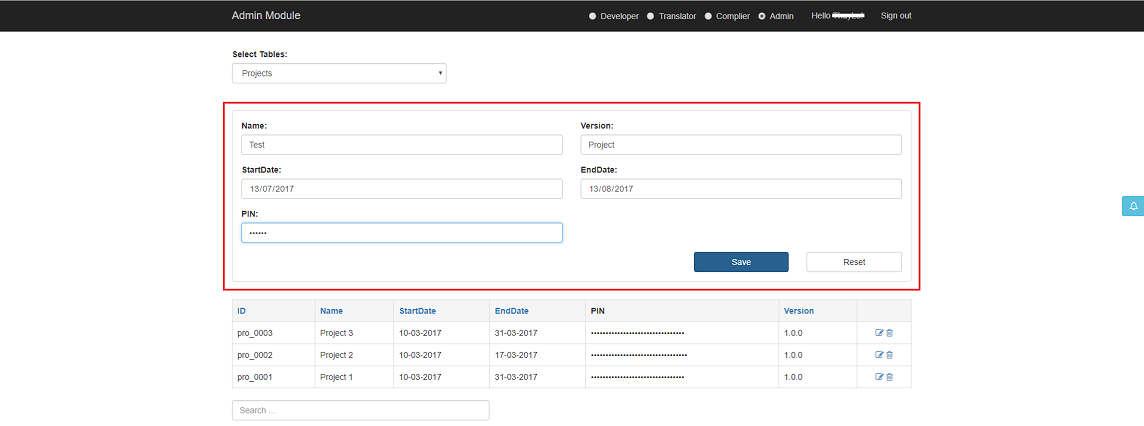
Then, input
fields in the
form above
data-table.
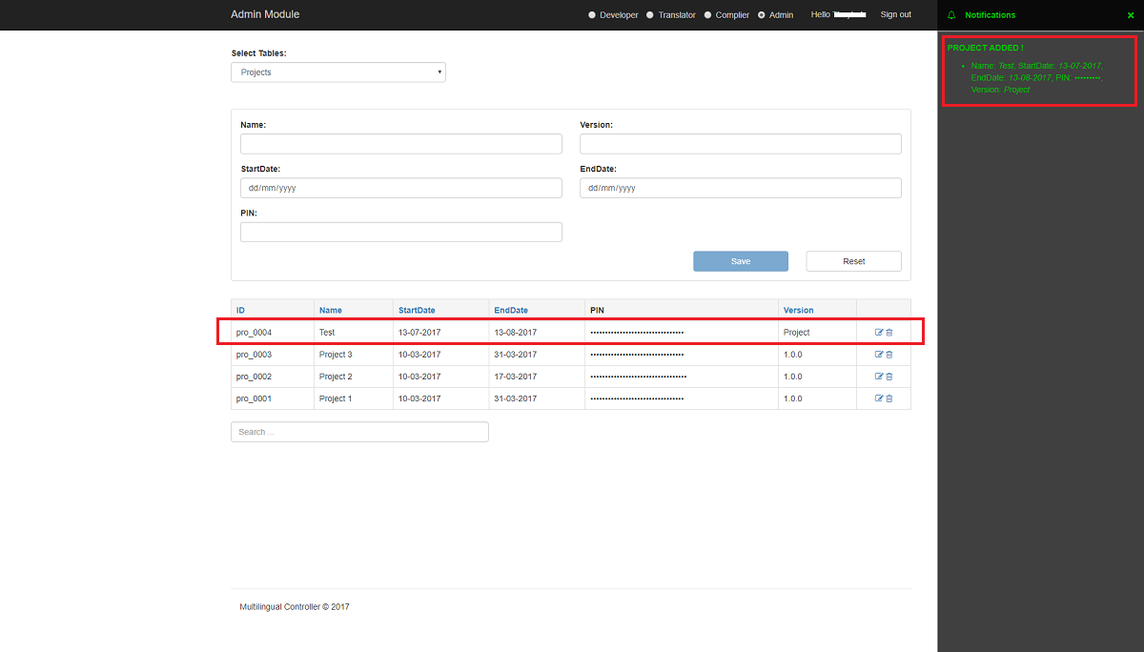
Then click
Save, notification bar will be open to show result save row.
3. Edit row in table
Select
table in the
select box at the top.
Then, click icon
Edit on the right side of row to edit row.
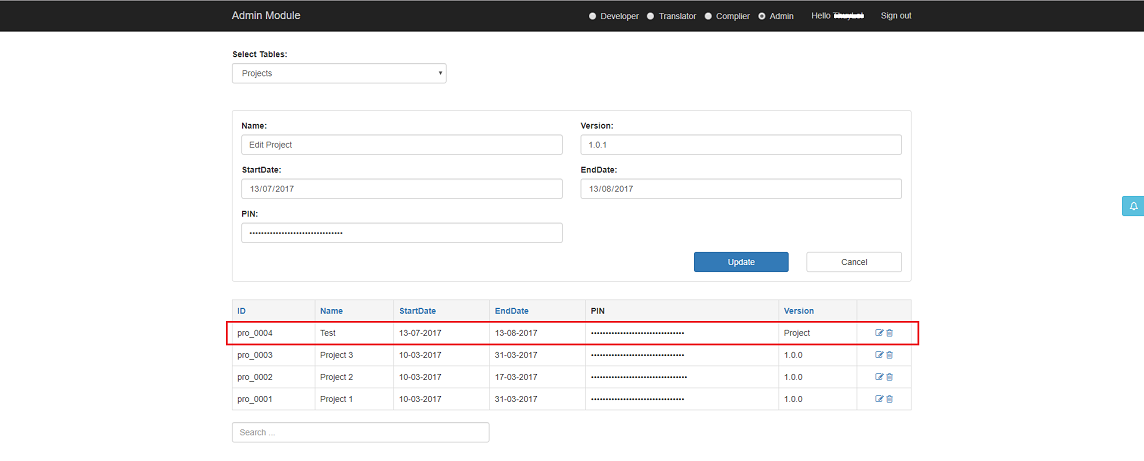
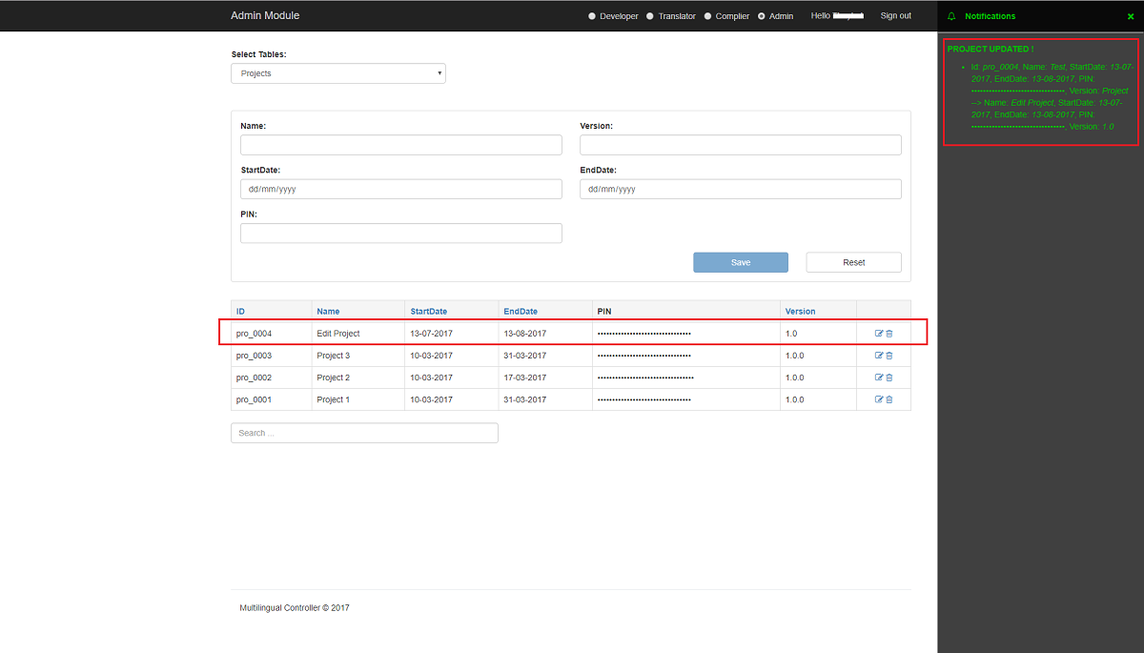
Then click
Update to save edit row, notification bar will be open to show result save
row. Or
click
Cancel to cancel edit row.
4. Delete row in table
Select
table in the
select box at the top.
Then, click icon
Delete on the right side of row to edit row, a layer to confirm delete will
be show.
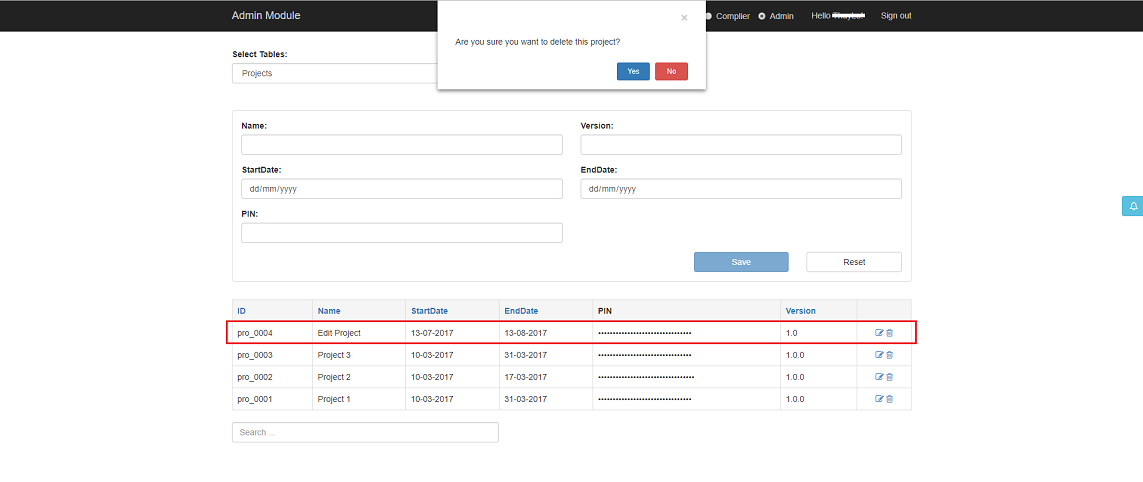
Then click
Yes in confirm delete, notification bar will be open to show result delete
row.